

CVE-2026-87902: Update to WordPress 7.1.2 and Check for a Breach


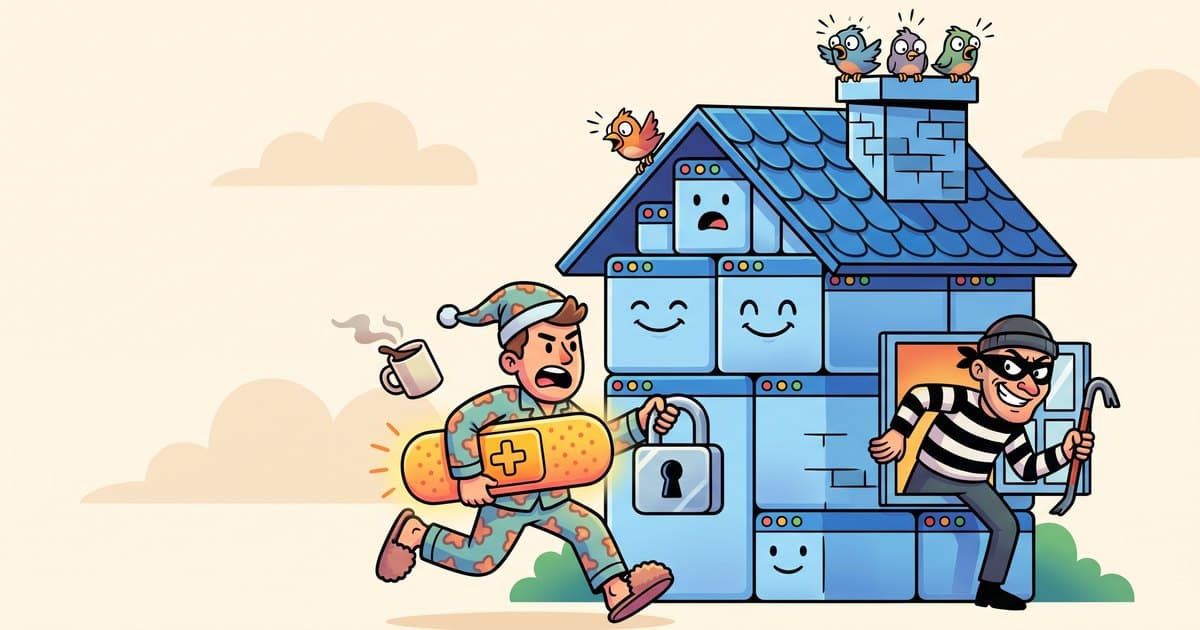
CVE-2026-87902 is a critical flaw in WordPress core that lets an attacker with no login make WordPress load a PHP file it should never touch. On some servers, that becomes full remote code execution.12 WordPress fixed it on September 22, 2026 in WordPress 7.1.2 and in updates for every older branch back to 4.7.1 Attackers started probing for it at 11:49 UTC that same day, and CISA added it to its Known Exploited Vulnerabilities catalog on September 25.346
If your site updates itself, it is probably already patched. This guide shows you how to confirm that in two minutes, how to tell if someone got in before the patch landed, and what to do if they did.
The short version
- What: An unauthenticated path traversal in how WordPress picks a page template. It can include a readable local PHP file from outside your theme, and under certain server conditions it leads to remote code execution.12
- Affected: WordPress 4.7.0 through 7.1.1.2
- Fixed: WordPress 7.1.2, 7.0.6, 6.9.9 and 6.8.10, with backports down to 4.7.37.2
- Exploited: Yes. First probes at 11:49 UTC on September 22, file-write attempts by 15:34 UTC, and about 322,680 attack signals logged by CrowdSec from September 23 to 27.34
- Most at risk (our assessment): Sites with automatic updates switched off, staging copies left online and containers built from old images.
- Check first: Your version number in Dashboard > Updates. Then look for unexpected PHP files in
/tmpand/var/tmpon your server.14
What is CVE-2026-87902?
CVE-2026-87902 is a bug in the WordPress function get_page_template(), which decides which theme file renders a page.2 WordPress describes it this way: an unauthenticated attacker can, under certain conditions, make page template resolution "include a chosen readable local PHP file outside the active theme directories."1
The attacker sends a crafted web address. WordPress reads part of it (the pagename value), and a double-encoded ../ sequence slips past the cleanup step.38 WordPress then loads a PHP file the attacker picked from elsewhere on the server.
Loading a harmless file proves the site is vulnerable. The damage comes when the attacker can load a file that writes new code. Researchers documented exactly that chain using PEAR's pearcmd.php, a PHP package manager script that ships on many servers.48
The WordPress advisory scores the flaw 9.2 (Critical) on CVSS 4.0.2 CrowdSec also lists a CVSS 3.1 score of 8.1 (High).3 CISA names it "WordPress Core Remote File Inclusion Vulnerability."5 Security researcher Robert Ressl reported it.1
This is a core bug. You do not need a vulnerable plugin for it to work.
Which WordPress versions fix CVE-2026-87902?
WordPress backported the fix to every branch from 4.7 up.1 So you don't have to jump to 7.1 to be safe. You need the latest release in the branch you run.
| If your site runs | You need at least |
|---|---|
| 7.1.0 or 7.1.1 | 7.1.2 |
| 7.0.0 to 7.0.5 | 7.0.6 |
| 6.9.0 to 6.9.8 | 6.9.9 |
| 6.8.0 to 6.8.9 | 6.8.10 |
| 6.7.x | 6.7.9 |
| 6.6.x | 6.6.9 |
| 6.5.x | 6.5.12 |
| 4.7.x | 4.7.37 |
Source: the WordPress security advisory, which lists the patched release for every branch from 4.7 to 7.1.2 If you run a branch between 4.8 and 6.4, find your row in that advisory. WordPress also says "only the most recent version of WordPress is actively supported."1 A backport closes this hole, but plan the move to 7.1 anyway.
Is CVE-2026-87902 being exploited?
Yes. It went from patch to probes in hours, and from probes to file-write attempts the same afternoon.
| Date (2026) | What happened |
|---|---|
| July 20 | Flaw reported to WordPress through HackerOne.3 |
| September 22 | WordPress 7.1.2 and branch backports released.116 |
| September 22, 11:49 UTC | First exploitation probes recorded.34 |
| September 22, 15:34 UTC | First attempts to write files through pearcmd.php.4 |
| September 23 | A named Nuclei scanning template in circulation. Patchstack saw traffic at more than ten times the first evening's volume.4 Canada's Cyber Centre issues advisory AV26-952.14 |
| September 25 | CISA adds CVE-2026-87902 to the Known Exploited Vulnerabilities catalog.56 |
| September 27 | CrowdSec's peak day: 124,154 signals.3 |
| September 28 | CISA's patch deadline for US federal civilian agencies.6 |
CrowdSec logged about 322,680 signals from September 23 to 27 and counted 30,813 unique source IP addresses by September 28.3 Previdian, a separate sensor network, recorded 1,430 attempts from September 23 to October 1, with its own peak of 690 on September 28.13
A signal is a request that matches the attack pattern. Most of that traffic is scanners spraying every WordPress site they can find, patched or not, so signal counts don't tell you how many sites were breached.
Which WordPress sites are at risk from CVE-2026-87902?
WordPress has installed minor core releases automatically by default for years, and new installs since 5.6 also take major releases automatically.9 The WordPress 7.1.2 announcement confirms that sites with automatic background updates enabled update themselves.1 So a default install has most likely patched itself already.
That leaves four groups to worry about (our assessment):
- Sites with auto-updates disabled. Someone added
AUTOMATIC_UPDATER_DISABLEDor setWP_AUTO_UPDATE_COREtofalseinwp-config.php, or a plugin turned updates off.9 - Agency-managed sites pinned to a version. Many deployment setups lock core and ship updates by hand, so the site waits for the next deploy. If your agency or developer controls updates, ask them for the date they shipped the fix.
- Forgotten staging and dev copies. These often run on the same server as the live site, and nobody watches them.
- Containers built from old images. A container rebuilt from an old image comes back unpatched every time. Equixly advises confirming the WordPress version running in each deployed environment.8
Remote code execution also needs specific conditions. The WordPress advisory lists them:2
- The active theme has a top-level folder whose name starts with
page-. The advisory names Twenty Twelve, Twenty Fourteen, Neve, Hestia and Sydney. - The server has a readable PHP file the attacker can use, such as
pearcmd.php, with the PHP settingregister_argc_argvturned on. - The advisory says official PHP Docker images and cPanel with PHP before 8.5 can meet the server side of that chain.
Equixly notes that production php.ini files commonly set register_argc_argv to Off.8 These conditions decide whether an attack reaches code execution on your server. Most of them are hard to verify from the dashboard, so patch either way.
If your site is on cPanel, there was also a separate cPanel root flaw disclosed the same day. We covered it in our cPanel CVE-2026-87899 guide.
How do I check my WordPress version?
From the dashboard
Log in and go to Dashboard > Updates. WordPress shows your version and whether an update is waiting, and you can install it from the same screen with "Update Now."1 The version also appears in the "At a Glance" box on the main dashboard and at the bottom of admin pages.11
You want to see 7.1.2 or later, or the patched release for your branch from the table above.
Without logging in
Open your homepage in a browser, right-click, choose View Page Source and search for generator. By default WordPress prints a generator meta tag with its version in the page head.10 Your RSS feed (yoursite.com/feed/) carries a generator tag by default too.17
A site owner can remove the generator tag with one line of code,10 so a missing tag tells you nothing. If you can't find it, use one of the other methods.
With hosting or server access
- Open
wp-includes/version.phpin your host's file manager and read the$wp_versionline.11 - If your developer uses WP-CLI,
wp core versionprints the version number.12
Run the same check on every copy of the site: staging, dev, old subdomains and any container image you deploy from.
How do I tell if my site was already hit by CVE-2026-87902?
Patchstack, Equixly and The Hacker News documented the attack pattern. These are the signs they list.478 Most of these checks need server access, so if you don't have it, send this list to your host or developer.
1. Unexpected PHP files in temp folders. Attackers wrote files to /tmp and /var/tmp with names including wp-pear-rce-flag.php, poc87902.php, luci_<random>.php and zeta_<random>.php.47 Any .php file in those folders deserves a look. Equixly also flags unexpected PHP files in the web root and wp-content.8 The temp folders sit outside your WordPress install, so a malware scan limited to your WordPress files may not cover them (our inference).
2. Traversal sequences in the pagename parameter. Search your access logs for pagename values containing %2e%2e or %252e%252e.4 Equixly also flags %25 sequences that decode into traversal.8
3. pagename and page_id together on the homepage. Attack requests pair both parameters on the site root or /index.php.4 WordPress reads pagename from the POST body before the query string, and Patchstack says POST requests have since overtaken GET.4 POST bodies don't appear in standard access logs, so a clean log search is not proof on its own (our inference).
4. PEAR strings. Look for pearcmd, +config-show or +config-create anywhere in a request.4 The Hacker News also reported attempts to pull an uploader script from a GitHub account named MrG3P5.7
5. Scanner user agents. cve-2026-87902-poc/1.0 and nuclei-cve-2026-87902/1.0 showed up in attacks.4
6. Feed output on normal pages. Attackers test by loading harmless core files such as wp-links-opml.php or the RSS feed template, wp-includes/feed-rss2.php.4 Patchstack says a 200 response carrying OPML or RSS content from a normal page URL means the inclusion ran on your host.4
A developer can run a first pass with two read-only commands. They change nothing on the server. Adjust the log path for your host:
grep -iE "pearcmd|%252e%252e|%2e%2e|cve-2026-87902" /path/to/access.log
ls -la /tmp /var/tmp | grep -i "\.php"
How to read the results:
- Matches in logs only, no files, site patched: You were scanned like everyone else. Keep the patch and move on.
- 200 responses with OPML or RSS content on page URLs: The inclusion worked. Check the temp folders and the rest of the server closely.
- A PHP file in
/tmpor/var/tmpfrom these attacks: Patchstack says a successful write means the host is "fully compromised from the attacker's point of view."4
Your CVE-2026-87902 checklist
Today
- Confirm your version on every live site, using the steps above.
- Back up, then update. Take a backup of your files and database first, as WordPress recommends before any upgrade.9 Then go to Dashboard > Updates > Update Now.1
- Find the forgotten copies. List every staging site, dev subdomain and old install, then patch them or take them offline.
- Rebuild containers from an image that ships a patched WordPress, then check the version inside the running container.
- Can't patch today? Patchstack calls rejecting traversal sequences in the
pagenameparameter "an effective stopgap."4 Equixly also recommends turning offregister_argc_argvfor web requests and removing PEAR from web-facing servers.8 Turning offregister_argc_argvbreaks the PEAR chain but does not fix the file inclusion itself.4 These are server changes, so have your host or developer make them and test on a staging copy first.
This week
- Run the six compromise checks above, or send them to your host.
- Turn automatic updates back on if someone disabled them. At minimum, allow minor releases with
WP_AUTO_UPDATE_COREset to'minor'.9 - Ask your agency for the exact date they deployed the fix on each site they manage.
- Check the theme. If your active theme has a
page-folder at its top level, you were in the higher-risk group while unpatched.2
This month
- Put every site on a patch rule. Apply security releases within 24 hours and name the person responsible (our recommendation).
- Review your hardening baseline. Our WordPress security checklist covers the basics.
What should I do if I find a compromise?
Treat a confirmed file write as a full server compromise. CISA's catalog entry tells US federal agencies to follow its "Forensics Triage Requirements" alongside the patch.6
The order we follow (practitioner judgment):
- Preserve evidence and current data first. Copy the access logs and the suspicious files before you delete anything. Take a full snapshot of the current files and database too, so you keep any orders, form entries and posts made since your last clean backup.
- Take the site offline or into maintenance mode if the attacker may still have access.
- Restore from a clean backup taken before September 22, 2026. That backup brings back an unpatched WordPress, so keep the site offline.
- Patch WordPress before the site goes live again, so the same door doesn't reopen.
- Re-enter recent content and orders from the snapshot by hand. Copy the data, not files.
- Rotate every secret. That means WordPress admin passwords, the database password, the salts in
wp-config.php, hosting and SFTP logins, and any API keys stored on the server. - Check other sites on the same server. Code running as the web server user can often reach every site that user owns.
- Tell your host. They can check server-level persistence you can't see.
Our hacked WordPress site playbook walks through the first hours in more detail.
Is the WooCommerce Wholesale Lead Capture attack related?
No, it is a separate flaw, but it hit WordPress stores in the same month. The Hacker News reported on September 16, 2026 that Wordfence saw attackers exploiting CVE-2026-27540 in the premium WooCommerce Wholesale Lead Capture plugin.15 It affects all versions up to and including 2.0.3.1. Attackers abuse the plugin's file upload handler to plant PHP web shells, and Wordfence reported blocking over 100,000 attempts since June 2026.15 That figure comes from The Hacker News citing Wordfence. We did not confirm it on Wordfence's own site. The report does not name a fixed version. If you run that plugin, ask its vendor for a release newer than 2.0.3.1, back up, update and run the same temp-folder and web shell checks.
Frequently asked questions
Is my WordPress site safe from CVE-2026-87902?
It is safe from this flaw if it runs WordPress 7.1.2 or the patched release for its branch, such as 7.0.6, 6.9.9 or 6.8.10. Check Dashboard > Updates to confirm. If the site was unpatched for any time after September 22, 2026, also check your server for signs of a hit.
Did WordPress update my site automatically?
Probably, if you never changed the defaults. WordPress installs minor core releases automatically out of the box. Sites with auto-updates disabled, sites pinned by an agency, and containers built from old images don't update themselves.
Do I need to update to WordPress 7.1 to be protected?
No. WordPress backported the fix to every branch back to 4.7, so updating to the latest release in your current branch closes the hole. Only the newest version is actively supported, though, so plan the move to 7.1.
How do I check my WordPress version without logging in?
View your homepage source and search for "generator," or open your RSS feed and look for the generator tag. A site can hide this tag, so if it's missing, check wp-includes/version.php through your host's file manager or ask your developer.
Does CVE-2026-87902 need a plugin to be exploited?
No. CVE-2026-87902 is a bug in WordPress core and needs no login and no vulnerable plugin. Turning it into remote code execution does depend on the theme and server setup, including a theme folder starting with "page-" and the PEAR tool on the server.
Can a security plugin protect me instead of updating?
A firewall rule that rejects traversal sequences in the pagename parameter can reduce exposure while you schedule the update. It is a stopgap. The only fix WordPress offers is the patched release.
What does it mean that CISA added CVE-2026-87902 to its KEV catalog?
It means CISA has evidence of real-world exploitation. CISA added it on September 25, 2026 and gave US federal civilian agencies until September 28 to patch. For everyone else, it is a strong signal to treat the update as urgent.
If you want help
If you manage several WordPress sites and aren't sure which ones patched, we can check them for you. Send us the list through /start and you'll get a scoped estimate within 48 hours. For ongoing coverage, our care plans handle updates and monitoring.
Sources
- WordPress.org News, WordPress 7.1.2 Release, September 22, 2026. wordpress.org
- WordPress, GitHub security advisory GHSA-7hp8-65ch-5whp, "Unauthenticated path traversal in page-template resolution leading to conditional RCE," September 22, 2026. github.com
- CrowdSec, CVE-2026-87902 vulnerability tracking report, checked October 1, 2026. crowdsec.net
- Patchstack, Dave Jong, "CVE-2026-87902: Attackers Started Probing WordPress Sites Hours After the Patch," September 22, 2026, updated September 23, 2026. patchstack.com
- CISA, "CISA Adds One Known Exploited Vulnerability to Catalog," September 25, 2026. cisa.gov
- CISA, Known Exploited Vulnerabilities Catalog entry for CVE-2026-87902, checked October 1, 2026. cisa.gov
- The Hacker News, Ravie Lakshmanan, "Attackers Exploit WordPress CVE-2026-87902 Within Hours of Disclosure," September 24, 2026. thehackernews.com
- Equixly, Edoardo Zatti and Zoran Gorgiev, "CVE-2026-87902: From WordPress path traversal to RCE via PEAR," September 24, 2026. equixly.com
- WordPress Developer Resources, Advanced Administration: Upgrading WordPress and automatic background updates, checked October 1, 2026. developer.wordpress.org
- WordPress Developer Resources, wp_generator() function reference and user notes, checked October 1, 2026. developer.wordpress.org
- hosting.com Knowledge Base, Determining the WordPress version, checked October 1, 2026. kb.hosting.com
- WordPress Developer Resources, WP-CLI wp core version, checked October 1, 2026. developer.wordpress.org
- Previdian, CVE-2026-87902 exploitation observed, checked October 1, 2026. previdian.com
- Canadian Centre for Cyber Security, WordPress security advisory AV26-952, September 23, 2026, updated September 25, 2026. cyber.gc.ca
- The Hacker News, Ravie Lakshmanan, "Attackers Exploit WooCommerce Wholesale Lead Capture Flaw to Plant PHP Web Shells," September 16, 2026. thehackernews.com
- WordPress.org, Release Archive, checked October 1, 2026. wordpress.org
- WordPress core source, wp-includes/default-filters.php (adds the_generator to rss2_head and other feed hooks), checked October 1, 2026. github.com
Facts checked on October 1, 2026.
Comparing web agencies?
Send the brief. You get a scoped plan, a real timeline, and we tell you when another shop is the better fit.
- Rebuilds, redesigns, and migrations
- You own the code and the domain
- Scoped estimate within 48 hours
Working on something in WordPress?
Tell us what you are working on. You get a scoped estimate within 48 hours.
Keep reading
More from WordPress.
- Shopify & Ecommerce

October 1, 2026
Google AI Mode Checkout on Shopify: Why GA4 Misses These Sales
Google AI Mode checkout is rolling out to eligible US Shopify stores, on by default, and GA4 tags don't fire in it. How to check, decide and fix reporting.
- Guides & Insights

September 30, 2026
Should You Buy a .si Domain? What the Superintelligence Rebrand Means for Your SEO
Trump wants AI renamed SI, and .si domain registrations have exploded. Here is what a .si domain does to your Google rankings, who is actually making money, and the one cheap move worth making.
- Shopify & Ecommerce
September 29, 2026
Shopify Agentic Checkout: What Changed and Your To-Do List
Shopify agentic checkout is live: AI agents in a shopper's browser can now complete your checkout. What changed, what you control, and a 16-step to-do list.