

cPanel Vulnerability CVE-2026-87899: Any Hosting Account Can Run Code as Root. What to Do Now
A cPanel CalDAV flaw lets any logged-in hosting account run code as root, and a WP Toolkit bug lets one account change another's WordPress database. Fixed builds, how to check yours, and what...
On 22 September 2026 cPanel disclosed a flaw in its CalDAV and CardDAV service that lets anyone with a cPanel hosting account run code as root and take full control of the server.1 It is tracked as CVE-2026-87899. It affects cPanel & WHM version 120 and later, and the fix is to update to build 11.134.0.57, 11.136.0.41, 11.138.0.8 or later, or WP Squared 11.138.1.11 or later.1 The same release fixes a WP Toolkit bug (CVE-2026-87900) that lets one cPanel user change databases that belong to other accounts, which on a WordPress server means other people's WordPress sites.1
If you run a server, update it today. If you are a WordPress site owner on shared hosting, you cannot patch this yourself, but you can confirm your host did, and you can check that nothing in your site changed while the server was exposed. This article covers both.
The short version
- What: Three flaws disclosed together on 22 September 2026. CVE-2026-87899 lets a logged-in cPanel account run code as root. CVE-2026-87900 lets a logged-in cPanel user change other accounts' databases through WP Toolkit. CVE-2026-68490 lets a local user read other accounts' calendar events and contacts.1
- Who: Every server on cPanel & WHM version 120 or later that has not taken the 22 September builds, and every server running WP Toolkit 6.11.2-10794 or earlier.1
- Fix: cPanel & WHM 11.134.0.57, 11.136.0.41 or 11.138.0.8 or later (WP Squared 11.138.1.11 or later), plus WP Toolkit 6.11.3 or later. Two separate updates. Doing one does not do the other.1
- Workaround: None. cPanel published no temporary mitigation for servers that cannot update.1
- Exploited yet? No exploitation had been reported, and none of the three was in CISA's Known Exploited Vulnerabilities catalog as of 23 September 2026.1 That can change quickly. The last critical cPanel bug of 2026 was exploited for about two months before anyone patched it.4
- Biggest risk: Shared hosting. Any customer on the server, or anyone holding one customer's stolen cPanel password, can become root and reach every site on the box.
What is CVE-2026-87899?
CVE-2026-87899 is a privilege escalation flaw in cPanel's CalDAV and CardDAV service, the part of cPanel that syncs calendars and contacts for the email accounts on a hosting plan. cPanel's own description is one line: "A logged-in account holder can run code as root."1 The only precondition is a valid cPanel account. There is nothing else the attacker needs to set up and nothing the server owner has to have misconfigured.1
Root is the top account on a Linux server. Code running as root can read and change every file, every database and every mailbox, create new users, install software, turn off logging and hide itself. On a server that hosts one business that is bad. On a shared server that hosts a few hundred businesses, one customer becomes the owner of all of them.
cPanel credited researcher Ali Mustafa (rz1027) with finding all three flaws in this release.1 Technical details of how the escalation works have not been published, which slows down anyone trying to write an exploit but also means there is no public signature a firewall could block.
The two other flaws in the same release
CVE-2026-87900: WP Toolkit lets one account change another's database
WP Toolkit is the WordPress installer and manager built into cPanel. Hosts use it to give customers one-click WordPress installs, staging copies, updates and cloning. CVE-2026-87900 is a bug in how it handles the command that creates databases. cPanel's description: "A logged-in cPanel user can change databases in other accounts."1 It affects WP Toolkit 6.11.2-10794 and earlier and is fixed in 6.11.3.1
cPanel has not said exactly what an attacker can change, or whether they can also read the data.1 For a WordPress site, the database is the site. It holds every user account and password hash, every post and page, the site URL, the list of active plugins and the settings for all of them. Someone who can write to it can add themselves as an administrator, redirect your domain, or inject a script into your content without touching a single file. File scanners miss that last one, which is why database checks are part of the steps further down.
WP Toolkit is also shipped for Plesk. cPanel has not confirmed whether the Plesk build is affected.1 If you are on Plesk, keep WP Toolkit current and watch for a Plesk advisory.
CVE-2026-68490: other accounts' calendars and contacts
The third flaw sits in the same CalDAV and CardDAV service. Incorrect permissions let a local user read calendar events and contacts that belong to other cPanel accounts.12 It does not allow changes or escalation. It is fixed by the same cPanel builds as CVE-2026-87899, and the update repairs calendar and contact permissions for existing accounts automatically.1
Contacts are not trivial data. A list of a business's clients and suppliers, lifted from a shared server, is the raw material for convincing phishing emails sent in that business's name.
Which cPanel versions are affected, and which builds fix it?
| Flaw | Component | Affected | Fixed in |
|---|---|---|---|
| CVE-2026-87899 (root code execution) | cPanel & WHM CalDAV/CardDAV | Version 120 and later | 11.134.0.57, 11.136.0.41, 11.138.0.8 or later. WP Squared 11.138.1.11 or later |
| CVE-2026-68490 (read others' calendars and contacts) | cPanel & WHM CalDAV/CardDAV | Version 120 and later | Same builds as above |
| CVE-2026-87900 (change others' databases) | WP Toolkit | 6.11.2-10794 and earlier | WP Toolkit 6.11.3 or later |
Source: cPanel's 22 September 2026 announcement, as reported by The Hacker News and Cyber Security News.12 If cPanel ships a later build, be on it. The advice does not change.
Who is actually at risk?
Shared hosting customers. This is the worst case. A shared server puts hundreds of unrelated accounts on one machine, and the security model depends on each account being walled off from the others. Tools like CloudLinux CageFS exist to stop one account seeing another's files. A root bug sits underneath that wall. Once code runs as root, isolation is whatever root says it is. You do not need to have done anything wrong. The attacker only needs to be a paying customer on the same server, or to have stolen a customer's login.
Resellers and agencies. If you resell hosting from a WHM account, every client account you created is a valid cPanel login and a potential starting point. That includes clients who reuse passwords or share their login with a freelancer.
VPS and dedicated servers you run yourself. The exposure is smaller because you control who has a cPanel account, but it is not zero. Any cPanel account whose password has been phished, reused or saved on an infected laptop is enough. If you have a WordPress server with a handful of accounts on it, you are the one who has to run the update.
Managed WordPress hosts that do not use cPanel. Kinsta, WP Engine, Rocket.net and similar platforms run their own control panels and are not affected by these three CVEs. That is not a reason to feel smug. It is a reason to know which kind of hosting you are on. Our comparison of WordPress hosts covers which ones are which.
Why a root bug on shared hosting is worse than it sounds
Most WordPress security advice is about the site: update plugins, use strong passwords, add a firewall. We wrote the full list in our WordPress security guide. All of it still matters. None of it protects you from a server-level flaw, because a root attacker is not coming through WordPress at all. They are underneath it.
Here is what root on a shared server can reach, for every site on it:
- Every file. Themes, plugins, uploads, and
wp-config.phpwith the database password and secret keys. - Every database. User tables, orders, form entries, customer details.
- Every mailbox. Including password reset emails for your other services.
- Every backup stored on the same server. This is the one that hurts. A backup kept on the machine that got compromised can be deleted or quietly poisoned. Our WordPress backup strategy guide explains why the same-server backup is the most common failure, and this CVE is the clearest example of it this year.
- The logs. An attacker with root can edit the evidence of what they did.
That last point is why "we saw no signs of compromise" from a host means less after a root bug than after a normal one. It is still worth asking. It is not proof.
cPanel's 2026 track record: the fourth serious disclosure this year
This is not an isolated event, and the pattern matters when you decide how much trust to place in shared cPanel hosting.
- April 2026, CVE-2026-41940. An authentication bypass that let attackers skip the cPanel and WHM login screen entirely. It affected all supported versions after 11.40 and was patched on 28 April. Hosting providers reported it had been exploited since late February, roughly two months before a fix existed.34 CISA added it to the Known Exploited Vulnerabilities catalog on 30 April.5 The Shadowserver Foundation counted more than 44,000 IP addresses likely compromised and more than 572,000 exposed instances, over 391,000 of them in North America.5 Namecheap, HostGator and KnownHost temporarily blocked access to cPanel interfaces while they patched.34 Australia's cyber security agency issued its own alert.6
- May 2026. A second emergency security release followed within about ten days, covering three more CVEs.7
- 8 September 2026, CVE-2026-67401. A SQL injection in cPanel's EmailTrack feature that let an account holder with mail privileges write files and run code as root. All supported versions were affected. Fixed builds were 11.110.0.143, 11.134.0.55, 11.136.0.39 and 11.138.0.4, and WP Squared 11.138.1.9.8
- 22 September 2026. The three flaws in this article.
The researcher behind this release has reported at least seven cPanel and Plesk vulnerabilities since 27 August 2026.1 More are likely. The practical takeaway: a server that updates automatically every night is in a very different position from one that updates when someone remembers.
How to check if your server is patched
If you run the server (WHM or root access)
-
Check the cPanel build. In WHM, the version is shown at the top of the interface. From a root shell, run:
/usr/local/cpanel/cpanel -VCompare the result with the fixed builds in the table above. Your build number must be equal to or higher than the fixed build for your release line.
-
Update cPanel & WHM. In WHM go to Home / cPanel / Upgrade to Latest Version, or run as root:1
/usr/local/cpanel/scripts/upcp --force -
Update WP Toolkit separately. The cPanel update does not bring WP Toolkit to 6.11.3 on its own. cPanel's advisory gives this command, which pins the installer to the fixed version:1
bash <(curl https://wp-toolkit.plesk.com/cPanel/installer.sh || wget -O - https://wp-toolkit.plesk.com/cPanel/installer.sh) --version 6.11.3 -
Verify both version numbers actually changed. Re-run the version check and open WP Toolkit in WHM to confirm 6.11.3 or later. An update that failed quietly looks exactly like an update that worked until you check.
-
Turn on automatic updates if they are off. In WHM, Update Preferences controls how cPanel updates itself. A nightly automatic update would have closed this within a day of release.
If you are on shared hosting (cPanel login only)
You cannot patch the server, but you can see what it is running. In cPanel, the version is listed under General Information or Server Information in the sidebar. If the build is below the fixed version for its release line, open a support ticket. You can send this almost word for word:
Please confirm this server has been updated to a cPanel build that fixes CVE-2026-87899 and CVE-2026-68490 (11.134.0.57, 11.136.0.41, 11.138.0.8 or later), and that WP Toolkit is on 6.11.3 or later for CVE-2026-87900. Please also confirm whether you have checked the server for signs of exploitation.
A good host answers that in hours. A host that cannot tell you its own cPanel version is telling you something more important than the version.
What WordPress site owners should do this week
Even after the server is patched, the question is whether anything happened while it was not. No exploitation has been reported, so for most sites these checks will come back clean. They take about thirty minutes and are worth doing anyway, because the WP Toolkit flaw works through the database, where most scanners do not look.
- Change your cPanel password and turn on two-factor authentication. cPanel supports 2FA under Security. A stolen cPanel password is the only thing an outsider needs to use CVE-2026-87899 on a shared server, so this is the single most useful step for anyone who is not the server admin.
- List every WordPress administrator. In the dashboard go to Users and filter by Administrator, or run
wp user list --role=administratorwith WP-CLI. Delete any account you do not recognize, and check the registration dates of the ones you do. - Check the site URL settings. Run
wp option get siteurlandwp option get home, or look under Settings, General. An attacker with database access can change these to send your visitors elsewhere. - Check which plugins are active. Compare
wp plugin list --status=activewith what you expect. An unfamiliar plugin, or a must-use plugin inwp-content/mu-pluginsyou did not add, is a red flag. - Search the database for injected scripts. Look for
<scripttags in post content and widget options that you did not put there. Our ClickFix article shows what injected code in WordPress usually looks like. - Rotate the WordPress secret keys and the database password. If you have any doubt at all, replace the salts in
wp-config.phpand change the database password in cPanel, then update it inwp-config.php. This logs out every session, including any an attacker might hold. - Make sure you have a backup that lives somewhere else. Download a copy now, or confirm your backup service stores off-server. If the server was compromised, off-server backups are the only ones you can trust.
If any of these checks turns something up, stop and work through our hour-by-hour playbook for a hacked WordPress site before you start deleting things. The order matters.
Should you move off shared cPanel hosting?
Not automatically. cPanel is a mature control panel, it runs a very large share of the web, and a patched cPanel server is a reasonable place to host a site. The question is not the software. It is who is updating it and how many strangers share your server.
Shared hosting was always a trade: low cost in exchange for sharing a machine with people you have never met. A root bug that any of them can trigger is the clearest possible illustration of what that trade means. Our piece on what cheap WordPress hosting actually costs you covers the performance side of the same problem.
A reasonable rule of thumb:
- A brochure site with no customer data on a host that patches fast and answers the ticket above clearly can stay where it is.
- A site that takes orders, bookings, logins or form submissions with personal data should not share a server with hundreds of unrelated accounts. An isolated VPS you control, or a managed WordPress host that does not put you next to strangers, removes this whole category of risk.
- If your host could not tell you whether it patched, that is the answer. Plan a migration to a new host. It can be done without downtime.
Frequently asked questions
What is the new cPanel vulnerability?
It is CVE-2026-87899, disclosed by cPanel on 22 September 2026. A flaw in cPanel's CalDAV and CardDAV service lets any logged-in cPanel account holder run code as root and take full control of the server. It affects cPanel & WHM version 120 and later.
Which cPanel version fixes CVE-2026-87899?
cPanel & WHM builds 11.134.0.57, 11.136.0.41 and 11.138.0.8 or later, and WP Squared 11.138.1.11 or later. Update through WHM at Home / cPanel / Upgrade to Latest Version, or run /usr/local/cpanel/scripts/upcp --force as root.
Is CVE-2026-87899 being exploited?
No exploitation had been reported as of 23 September 2026, and it was not in CISA's Known Exploited Vulnerabilities catalog. Treat any unpatched server as exposed anyway. The critical cPanel bug disclosed in April 2026 had been exploited for about two months before a fix was available.
Does an attacker need a cPanel login?
Yes. CVE-2026-87899 requires a valid cPanel account. On shared hosting that is a low bar, because every customer on the server has one, and a single phished or reused cPanel password gives an outsider the same access.
What is CVE-2026-87900 in WP Toolkit?
A bug in how WP Toolkit handles database creation lets a logged-in cPanel user change databases that belong to other accounts. It affects WP Toolkit 6.11.2-10794 and earlier and is fixed in 6.11.3. For WordPress sites the database holds users, content and settings, so check your administrator list and site URL after the server is patched.
Does updating cPanel also update WP Toolkit?
No. They are separate updates. Update cPanel & WHM to the fixed build, then update WP Toolkit to 6.11.3 or later, then check both version numbers.
Is there a workaround if I cannot update right away?
No. cPanel did not publish a temporary mitigation. The fix is the update.
I am on shared hosting. What should I do?
Check the cPanel version under Server Information, ask your host to confirm the fixed builds and WP Toolkit 6.11.3, change your cPanel password, turn on two-factor authentication, and check your WordPress administrator accounts and site URL for changes.
Are Plesk servers affected?
The two CalDAV and CardDAV flaws are in cPanel. WP Toolkit is also shipped for Plesk, and cPanel has not confirmed whether the Plesk build is affected by CVE-2026-87900. Keep WP Toolkit current on Plesk and watch for a Plesk advisory.
Is my site on Kinsta or WP Engine affected?
Not by these three CVEs. Managed WordPress hosts that run their own control panels instead of cPanel are not exposed to cPanel bugs. They have their own update responsibilities, which is part of what you pay them for.
When you want someone else to own this
A cPanel bug like this is a process problem more than a technical one. The patch is one command. The damage happens on the servers where nobody was watching the advisories, nobody had turned on automatic updates, and nobody could say which build was running. It is the same gap we saw with the Avada zero-click RCE three weeks ago, one layer further down the stack.
We have looked after WordPress sites since 2019, across 300+ websites, and the sites that come through a week like this untouched are the ones where someone owns updates, backups live off the server, and the hosting was chosen on purpose. If you want that for your site, our WordPress care plans cover monitoring, updates and off-site backups, and managed hosting puts your site on an isolated server we patch. If you think something already changed on your site, start with a security audit.
- The Hacker News, "New cPanel Flaw Lets a Hosting Account Run Code as Root, Take Full Server Control," 23 September 2026, reporting cPanel's 22 September 2026 security announcement (CVE-2026-87899, CVE-2026-87900, CVE-2026-68490, fixed builds, update commands, exploitation status). thehackernews.com
- Cyber Security News, "New cPanel Vulnerability Allows Attackers to Access Other Users' Accounts," September 2026. cybersecuritynews.com
- TechCrunch, "Hackers are actively exploiting a bug in cPanel, used by millions of websites," 30 April 2026. techcrunch.com
- Malwarebytes, "Actively exploited cPanel bug exposes millions of websites to takeover," May 2026. malwarebytes.com
- Cybersecurity Dive, "Critical vulnerability in cPanel leads to widespread exploitation," May 2026, citing Shadowserver Foundation data and CISA. cybersecuritydive.com
- Australian Cyber Security Centre, "Active exploitation of cPanel/WHM critical vulnerability." cyber.gov.au
- Panelica, "cPanel Pre-Discloses Three New CVEs (CVE-2026-29201, 29202, 29203): Second Emergency TSR in 10 Days," May 2026. panelica.com
- The Hacker News, "New cPanel Flaw Lets a Hosting Account With Mail Privileges Run Code as Root," September 2026 (CVE-2026-67401). thehackernews.com
Version numbers, dates and exploitation status checked on 23 September 2026. If cPanel ships a later build, the advice is the same: be on it.
Who keeps your WordPress site up?
Hacked, outdated, or stuck on hosting you do not trust. Send us the site and get a hardening and hosting plan with a named owner.
- Hack cleanup and security hardening
- Backups, updates, uptime monitoring
- Zero-downtime host migrations
Want to discuss website security for your business?
Start a project and we'll talk through where you are, what's working, and the highest-leverage moves for the next 90 days.
Keep reading
More from the Website Security archive.
- Website Security

September 15, 2026
Avada's Zero-Click RCE (CVE-2026-18431): What Every Avada Site Owner Needs to Do This Week
A 9.8-rated flaw lets anyone on the internet write PHP to an unpatched Avada site. Which versions are exposed, why your dashboard may be hiding the update, how to check all three Avada components,...
- Website Security
September 15, 2026
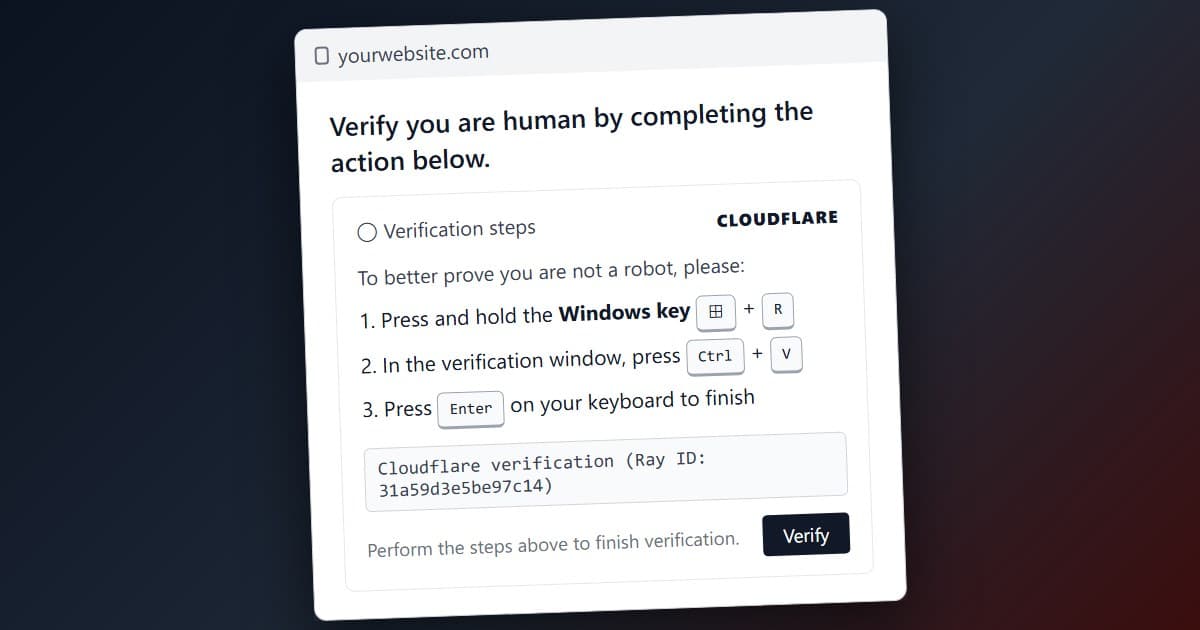
ClickFix: The Fake Cloudflare Page Hijacking Thousands of WordPress Sites, Explained
Thousands of WordPress sites are serving a fake Cloudflare 'Verify you are human' page that installs malware on visitors. How ClickFix works, how the sites get hacked, why cracked themes make it...
- Vibe Coders
October 3, 2026
Bun, Astral, VoidZero, Tailwind: Why Platforms Keep Making Developer Tool Acquisitions in 2026
Nine developer tool acquisitions since 2022, checked against primary sources. What Cloudflare's SEC filing reveals about VoidZero, and why only one deal shows real distress.